
Intro
Below follows a short guide how to navigate the Casa Nostra Blog
This user manual is not covering the latest improvements made to this site and some screenshots may be outdated, but the idea of how this site works is always the same
The site link is https://casanostrablog.it/ or could also be accessed via the short link http://blog.incensus.com
Log on
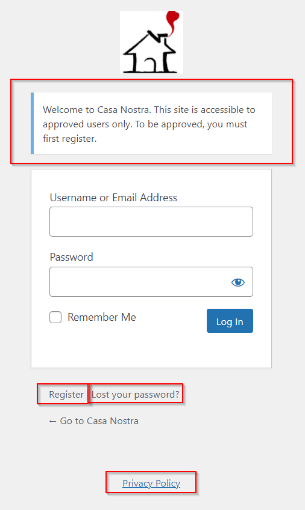
The access is private and only accessible by approved users (with exceptions).
To get access you need to register and wait for approval via email.
You van now also use social login to make a faster access (not displayed on the screenshot here)
(check always your spam box in case you don't get any email).
The link to the Privacy Policy on the logon screen is always accessible even if not logged on and can also be found in the Info menu entry once you accessed the blog.
Home Page
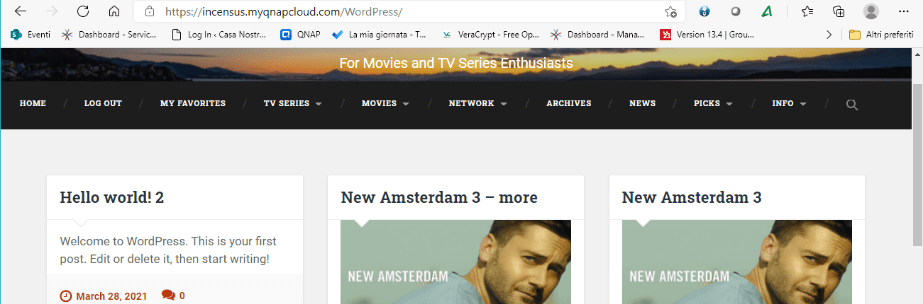
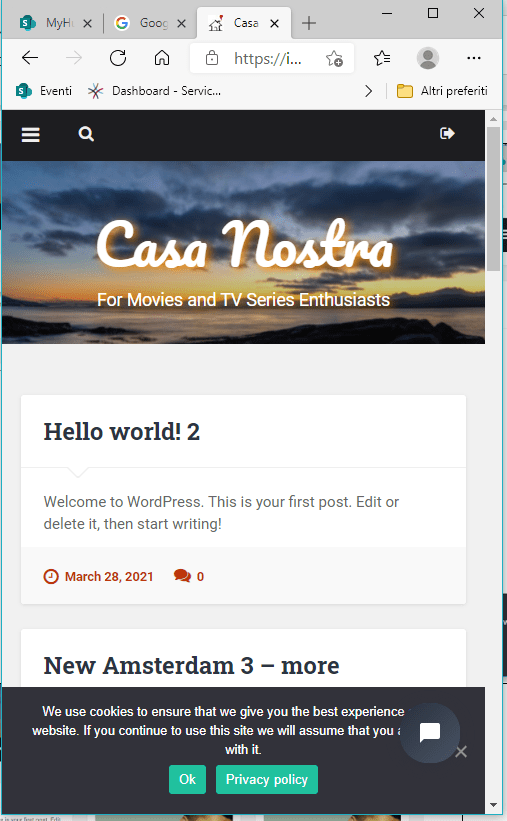
As soon as you have logged in you’ll find a header with the Site title Casa Nostra Blog and either a horizontal “sticky” menu or a top bar with a toggle icon to the top left, depending on whether you have accessed from a desktop, laptop, tablet or mobile phone
The Home page is a summary of the content of this site like (Our) Rankings and (Streaming) News, the Latest Titles, Anticipated Movies, Coming TV Series and Movies, the signup for our weekly Newsletter ecc
On the classical Blog page, you’ll find numerous posts present in descendant publish date order and, always dependent on the device, you’ll find them placed on a grid up to 3 columns of posts down to one post at the time
At the bottom of the pages you’ll find the floating Go Back to previous screen and Go To Top buttons
The site is now also multilingual, English (default), Italian, Swedish and German .. but other languages could be added at request. The language can be selected by clicking on the flag icon at the top right of the header (was a globe). The language translation is instant and is a help for those having problems with English

Site Menu
The site menu is the same but positioned differently depending from where you access
On PCs, laptops, and bigger tablets a horizontal sticky menu is presented at the top of the home page and remains always stuck at the top of the screen while scrolling to facilitate the access.
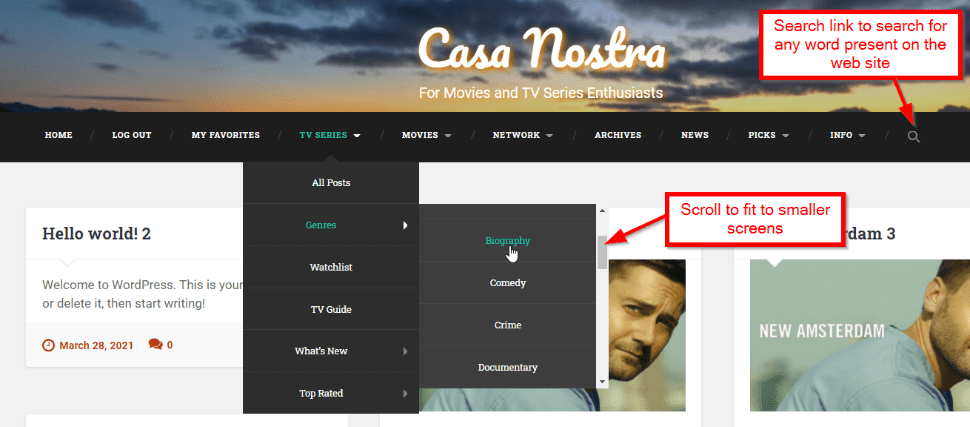
Except for the menu, you have also search possibilities as indicated in the picture below
There is now also an advanced search tab to the right side of the pages, where you can do practically any search and sorting as you like and the search results can also be bookmarked for direct easy access
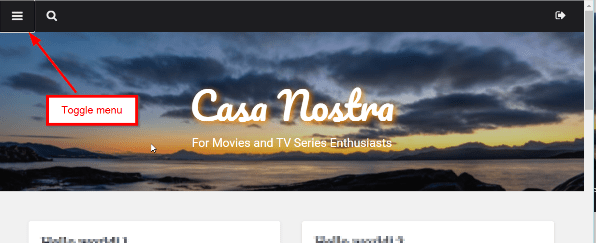
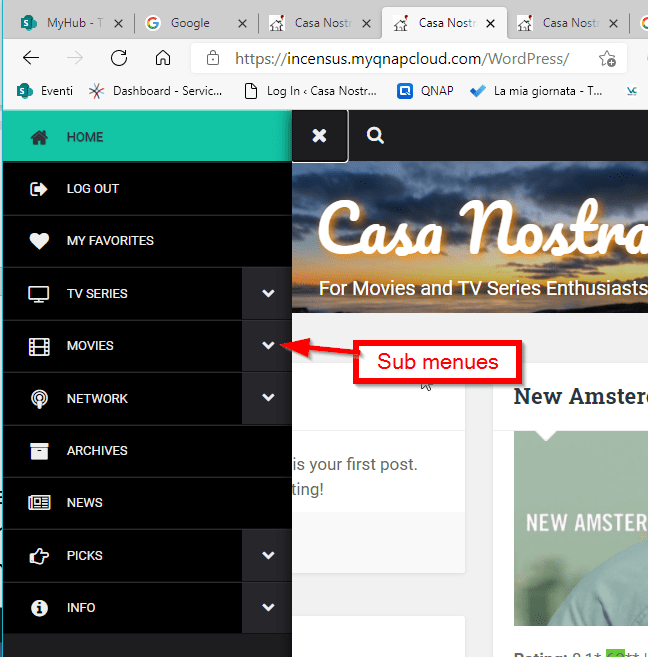
The horizontal sticky menu will disappear on mobile phones and will instead be presented as a slide in type of vertical menu from the left, activated by clicking on the toggle icon present at the top bar to the left.
The choice of a slide in menu on toggle icon click has been chosen instead of a swipe in kind of menu , to avoid compatibility issues on different mobile phones and the fact that some external pages present on this site actually use the swipe logic for scrolling inside the page.
Menu content
The menu content is the same whether you use the mobile vertical slide in menu or the horizontal sticky menu
Info
This menu menu option is important to know about before you start to navigate.
Here you’ll find this User Guide , About Us page, indicating the scope of this blog, the Privacy Policy , the Contact form, Your Avatar and the the possibility to delete your Account autonomously if desired.
Home – Logout
The Home menu option is the classical one which refresh the home page completely as normally is done at login and could also be done by clicking on the Site title on the home page.
The logout button will log you out and return you to the login screen
Blog page
This menu option will show you the titles in chronological release date order (newest first)
My Favorites
This menu option will show you the posts you have clicked as your favorites to remember more easily the ones you are interested in to get easy access.
From this page you can jump directly to the post or you can also remove the favorite from here or from the post directly
TV Series
This menu option will show you the posts and external information related to TV series
Movies
This menu option contains the same info as for the TV Series, with some slighter differences.
There is no Coming Episodes for Movies, but you’ve got Most anticipated Movies instead on the home page
- Most Anticipated are external info on special picked Movies, they'll be published as posts on this site if the rating turns out to be good
Network
This menu option is related to tagged posts per network, not presented in the other categories. and here is no distinction between Movies and TV Series
Social Network
You can now also follow us on Facebook, Instagram and Pinterest, directly from the menu
Post content
The posts have all the same basic layout containing
- Featured Images
- Personal rating by indicating a number of stars
- User and Critic ratings and save the titles to your favorites for faster access
- Clickable categories (as from the Menu) to select similar posts per category
- Embedded Official trailer video links and air-date info (the same as publish date)
- Info (external) on Creators, Directors and Cast
- Info (external) on User - and Critic reviews
- Description related to specific TV Series or Movie
- Share info with others
- Info on similar titles to watch
- Possibility to add comments to posts to share opinions with others
- To add comments you can choose to click the featured image or click the chat icon displayed below or click the title of the post


